

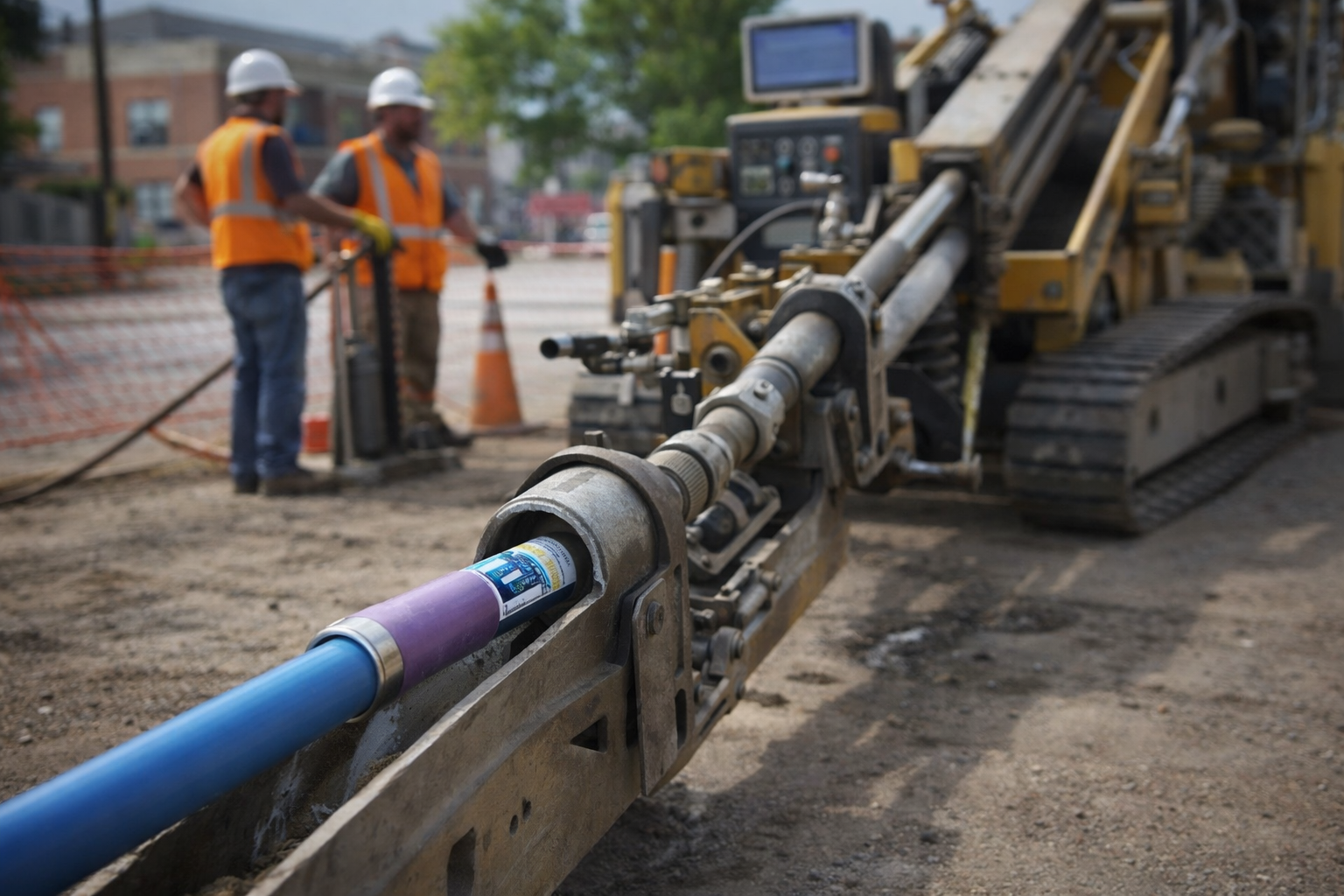
A transmitter is not a side purchase. In HDD work, it is the part that tells you where the drill head is, how it is pitched, and whether the signal will hold when the bore gets difficult. Buy the wrong transmitter and you can run into the two problems contractors hate most: poor signal performance and bad compatibility. Buy the right one and the job gets simpler, faster, and safer to manage.
The mistake is to shop by price or part number first. That is backward. The right way is to start with the whole system: locator platform, jobsite interference, bore depth, housing fit, special features, battery setup, and replacement urgency. Those are the filters that separate a smart purchase from an expensive guess.
For contractors who need to compare available options, the best place to start is UCG HDD’s DigiTrak Transmitter inventory. From there, narrow the choices by what your locator can run and what your jobs actually demand.
Start With Locator Compatibility, Not Price or Range
The first question is simple: Which locator are you using? That question matters more than depth, battery life, or frequency range, because if the transmitter does not match the locating platform, the rest of the discussion is pointless.
DigiTrak transmitters are grouped by family. F Series transmitters are compatible with F5 and F2 systems. SE transmitters are compatible with SE systems only. The Falcon line is also split by platform. Falcon F1 uses FT1 and FT1S transmitters. Falcon F2 uses FT2 and FT2s. Falcon F5 uses the FT5 / FTR5 family. That sounds orderly, but contractors still get tripped up when they run mixed fleets or replace a failed unit in a hurry.
This is especially important with older equipment. Some legacy transmitters that work with classic F2 and F5 systems do not work with Falcon locators. UCG’s product listings make that point clear on classic models such as FX12 and FXL19. Those are valid choices for the right older system, but they are not universal replacements.
Before you compare specs, confirm five basics:
- Locator family
- Exact receiver model
- Compatible transmitter family
- Whether the unit is classic DigiTrak or Falcon
- Whether you need a direct replacement or a deeper-range option within that same platform
Compatibility is the first gate. It saves time, avoids returns, and keeps a down crew from waiting on the wrong part.
Match the Transmitter to Jobsite Interference
After compatibility, look at the ground. In real HDD work, interference often decides whether a transmitter performs well or turns into a headache. A quiet site and a crowded urban corridor are not the same job, and they should not be treated the same way.
DigiTrak gives contractors several ways to handle interference. Falcon F5+ wideband transmitters offer more than 1000 frequencies. Falcon F2 wideband transmitters offer more than 500 frequencies. That matters because more frequency choices give the crew more room to work around active and passive interference. On a cleaner site, that extra flexibility may not be critical. In a dense utility corridor, it can be the difference between drilling with confidence and fighting noise all day.
Passive interference deserves its own attention. Some jobs run under reinforced concrete, sidewalks, roads, and other structures with steel content that can distort ordinary locating. For that kind of work, DigiTrak offers Sub-k Rebar transmitters that use ultra-low frequencies below 1 kHz for locate and depth work. These are not specialty items for rare conditions. For some contractors, they are practical tools for everyday urban work.
The lesson is plain: do not choose a transmitter in the office and hope the site agrees. Choose it for the type of ground and interference your crews actually face.
Wideband, dual-frequency, and rebar models solve different problems
Not every job needs the most advanced transmitter in the catalog. Many crews still do solid work with straightforward frequency options. Classic F Series transmitters, for example, are offered in 12 kHz and 19.2 kHz, and legacy F5 transmitters include single- and dual-frequency options such as 19/12 kHz and 12/1.3 kHz. Those models still have a place when the locator platform is older and the work is a good fit.
But a difficult site changes the math. Wideband transmitters give the receiver more ways to avoid noise. Dual-frequency transmitters can add flexibility on older systems. Sub-k Rebar models are built for passive interference where ordinary locating gets less dependable. Each type exists for a reason.
A good pre-bore routine helps here. Walk the path, check the receiver, and look for unusual readings before the transmitter is even in the head. That simple step helps the buyer think like a driller, not like a catalog shopper. If the work is mostly quiet suburban utility boring, a basic compatible transmitter may be enough. If the work runs under roads, near rebar, or through crowded corridors, interference management should move near the top of the buying checklist.
Choose Depth and Data Range for the Work You Actually Do
Contractors like range numbers, and for good reason. Depth range and data range tell you how much signal margin a transmitter can offer. But these numbers are easy to misuse. The biggest number is not always the best choice. The better choice is the model that fits your normal work and still leaves room for harder ground and deeper bores.
DigiTrak’s product families cover a wide spread. In Falcon F1, the updated FT1 V2 can reach 100 feet of depth and 125 feet of data range in standard power. In Falcon F2, FT2 also reaches 100 feet / 125 feet, while FT2s is built for much shallower work at 25 feet / 30 feet. On the F2+ side, the 19-inch FT2L+ V2 reaches 160 feet of depth and 200 feet of data range, and it is compatible with Falcon F2+ only. In Falcon F5+, the 24-inch FT5XLp V2 reaches 180 feet of depth and 220 feet of data range in high power. Older F Series units cover a different range, including the 15-inch FX 12 at 65 feet and the 19-inch FXL 12 at 85 feet.
Those numbers matter, but only when they are matched to the work. Short, shallow service bores do not need a 24-inch deep-range transmitter. A contractor who often drills deeper crossings should not try to stretch a shallow-range unit past its comfort zone.
Longer transmitters can add range, but only if the setup supports them
Transmitter length usually tracks with capability. An 8-inch transmitter can fit shallow work or tighter setups. A 15-inch model often fits the middle of the market. 19-inch and 24-inch units are aimed at deeper or longer work where more range matters. That sounds simple, but the longer transmitter is only the right answer if the rest of the setup supports it.
This is where buyers get tempted to overshoot. A deeper-range transmitter looks attractive on paper, but range only helps if the housing, slots, battery setup, and locator platform are all correct. A contractor who mostly handles everyday utility bores may get more value from a well-matched 15-inch unit than from a larger model that adds cost and creates fit issues.
A better buying question is not, “What is the deepest transmitter available?” It is, “What depth and data range do our jobs require most of the time?” That keeps the decision grounded in real production work instead of wishful thinking.
Check Housing Fit, Slot Design, and Pressure Requirements
A transmitter can be fully compatible with the locator and still be the wrong purchase because the housing is wrong. This is one of the least exciting parts of transmitter buying, but it is one of the most important.
DCI states that transmitter range and battery life depend on drill-head slot dimensions and position. For Falcon transmitters, DCI specifies a housing with at least three equally spaced slots, each with a minimum 1/16-inch width, and enough slot length for the transmitter size. On longer-range classic setups, extended transmitters may require a SuperCell and a housing with 13-inch slots that begin 2 inches from the front or index-cap end. Those are not small details. They affect whether the signal gets out of the housing the way it should.
Pressure capability also depends on the setup. If you want downhole fluid-pressure readings, the drilling fluid must be able to reach the transmitter. A pressure-capable model by itself is not enough. The housing and fluid path have to support the feature.
This is why smart buyers treat the transmitter, housing, and battery as one system. The part may be correct on paper and still disappoint in the field because the housing is not built for it.
Verify these fit details before you order a replacement
When a transmitter fails, contractors often buy under pressure. That is exactly when mistakes happen. The fastest way to avoid them is to verify the physical setup before the order goes in.
Check these items against the drill head you are using:
- Transmitter length
- Transmitter diameter
- Housing inside dimensions
- Slot count
- Slot width
- Slot position and slot length
- Whether the housing supports pressure-capable operation
- Whether the battery type matches the transmitter design
These checks matter for new, used, and refurbished units alike. A replacement that fits the locator but does not fit the housing is still the wrong replacement. A few minutes spent on the tooling side can save a day of delay on the jobsite.
Decide Whether You Need Pressure Data, Rebar Performance, or Simple Locate Data
Many HDD contractors do not need every feature DigiTrak offers. Others absolutely do. The right choice depends on the type of jobs you run, not on which spec sheet looks the most impressive.
Two feature groups deserve real attention. The first is fluid-pressure monitoring. DigiTrak states that Falcon F5 and F5+ wideband and rebar transmitters can provide real-time downhole fluid-pressure monitoring, with capability up to 250 psi. That feature has real value on more demanding bores where the crew wants better visibility into downhole conditions. It is not necessary for every installation, but on tougher work it can justify itself quickly.
The second is rebar and passive-interference performance. Contractors drilling under reinforced concrete, roads, sidewalks, and similar surfaces often face passive interference that can distort normal locating. DigiTrak’s Sub-k Rebar transmitters are built for that environment. If those conditions are part of your regular work, rebar capability should be part of the initial buying decision, not an afterthought.
Pitch detail matters too. Several DigiTrak transmitters offer 0.1 pitch or sensitive pitch capability. For operators who rely on finer steering feedback, that is a practical feature, not a cosmetic one.
The plain truth is that features should earn their place. Do not pay for complexity you will never use. But do not strip the transmitter down so far that it no longer fits the work.
Battery Strategy and Temperature Rating Are Part of the Buying Decision
Battery choice sounds like a small detail until it costs a crew range, runtime, or production time. DigiTrak transmitters are designed around specific battery options, and those options affect how the transmitter behaves in the field.
DCI lists different runtimes for alkaline, LiR rechargeable, and SuperCell battery setups depending on the model and power mode. On the 15-inch FT5p V2, for example, DCI lists 14 / 80 / 140 hours in high / standard / low power on a DCI SuperCell. The same transmitter is listed at 8 / 30 / 60 hours on LiR, and 20 / 36 hours on alkaline where applicable. That is a wide spread. It tells buyers something important: battery strategy is part of transmitter selection, not a small purchase left for later.
Classic models show the same pattern. The F Series overview lists 15-inch FX transmitters with options that include 2 C-cell alkaline, 1 SuperCell, or 2 SAFT LSH14 batteries, while the 19-inch FXL is specified around 1 SuperCell. UCGHDD.com also sells SuperCell batteries and positions them for hard boring conditions and longer rocky bores.
Temperature belongs in the same conversation. Many full-size DigiTrak transmitters are rated to 220°F / 104°C, while some smaller 8-inch models are rated to 180°F / 82°C. On long bores, hard ground, or conditions that build heat, that difference matters. A contractor buying for demanding work should look at temperature rating as closely as range.
Buying Used or Refurbished DigiTrak Transmitters Without Getting Burned
Used and refurbished transmitters are a practical part of the HDD market. They help contractors keep older locating systems running, lower replacement cost, and get a crew back to work fast. But the rules do not change just because the part is pre-owned.
Start with the same checks you would use for a new unit: compatibility, range, housing fit, features, battery type, and job need. After that, inspect the condition issues that matter in the field. DCI’s general care guidance puts the focus where it belongs: battery-cap threads, O-rings, and cleanliness. Those are the parts that affect daily use and reliability. UCGHDD.com states that its refurbished DigiTrak transmitters are tested and inspected, which is exactly what a contractor should want from a replacement part.
There is also the issue of speed. Many buyers do not shop for a transmitter when they have time to spare. They shop when a unit fails and the crew is waiting. UCG’s collection and FAQ position the company around fast shipping, including next-day replacement on many items, along with trade-in and repair support. For a contractor trying to keep a job moving, that service matters almost as much as the hardware.
The best rule is the oldest one: buy the transmitter that fits the whole system. That means the locator, the housing, the conditions, and the work your crew does every week. When those pieces line up, the transmitter becomes a tool instead of a problem.
